本文最后更新于72 天前,其中的信息可能已经过时,如有错误请发送邮件到big_fw@foxmail.com
基础
package main

import "github.com/gin-gonic/gin"

type Article struct {
	Title   string `json:"title"`
	Desc    string `json:"desc"`
	Content string `json:"content"`
}

func main() {

	r := gin.Default()

	r.GET("/", func(c *gin.Context) {
		c.String(200, "值:%v", "首页")
	})

	r.GET("/json1", func(c *gin.Context) {
		c.JSON(200, map[string]interface{}{
			"success": true,
			"msg":     "你好gin",
		})
	})

	r.GET("/json2", func(c *gin.Context) {
		c.JSON(200, gin.H{
			"success": true,
			"msg":     "你好gin",
		})
	})

	r.GET("/json3", func(c *gin.Context) {
		a := Article{
			Title:   "标题",
			Desc:    "描述",
			Content: "内容",
		}
		c.JSON(200, a)
	})

	r.Run()

}
HTML配置
r.GET("/news", func(c *gin.Context) {
    //配置模版文件 r.LoadHTMLGlob("templates/*")
    c.HTML(http.StatusOK, "news.html", gin.H{
       "title": "我是后台的数据",
    })
})
对于层级目录下的同一个文件名html
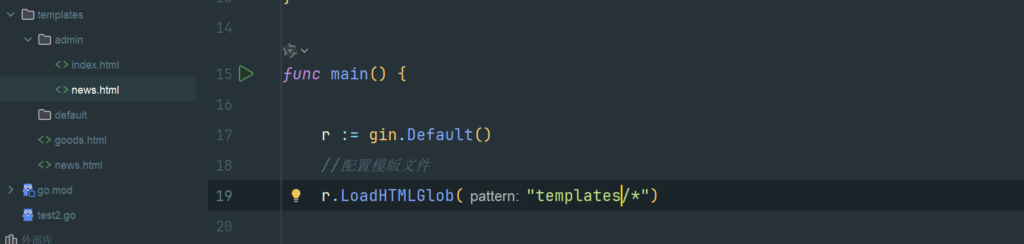
取admin目录下的news,需要用r.LoadHTMLGlob(“templates/**/*”)
还要给HTML定义模版名称
<!-- 相当于给模版定义一个名字 define end 成对出现-->
{{ define "admin/index.html" }}
<!DOCTYPE html>
<html lang="en">
<head>
  <meta charset="UTF-8">
  <title>Title</title>
</head>
<body>
  <h1>后台首页</h1>
  <h1>{{.title}}</h1>
</body>
</html>

{{end}}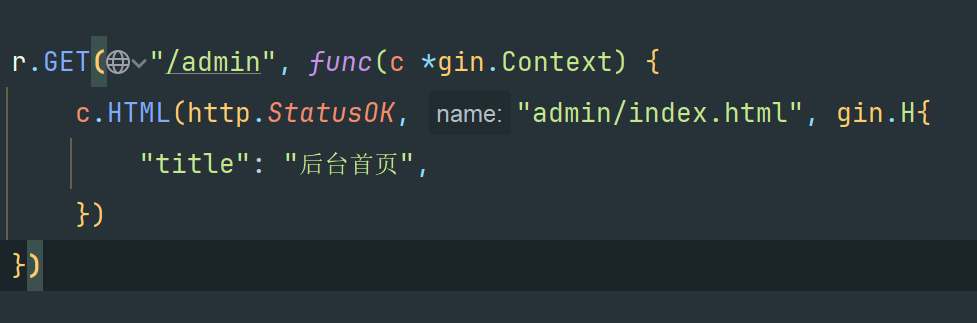
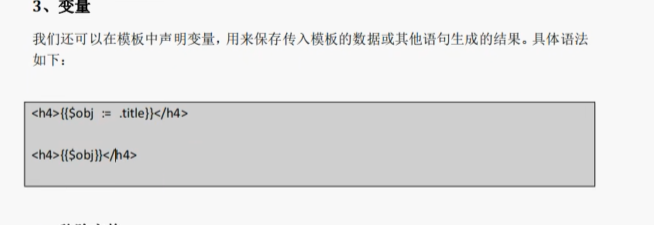
变量
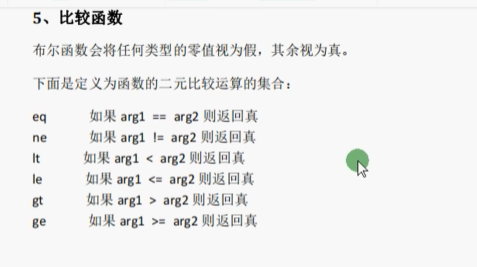
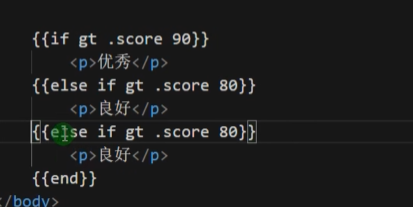
比较函数
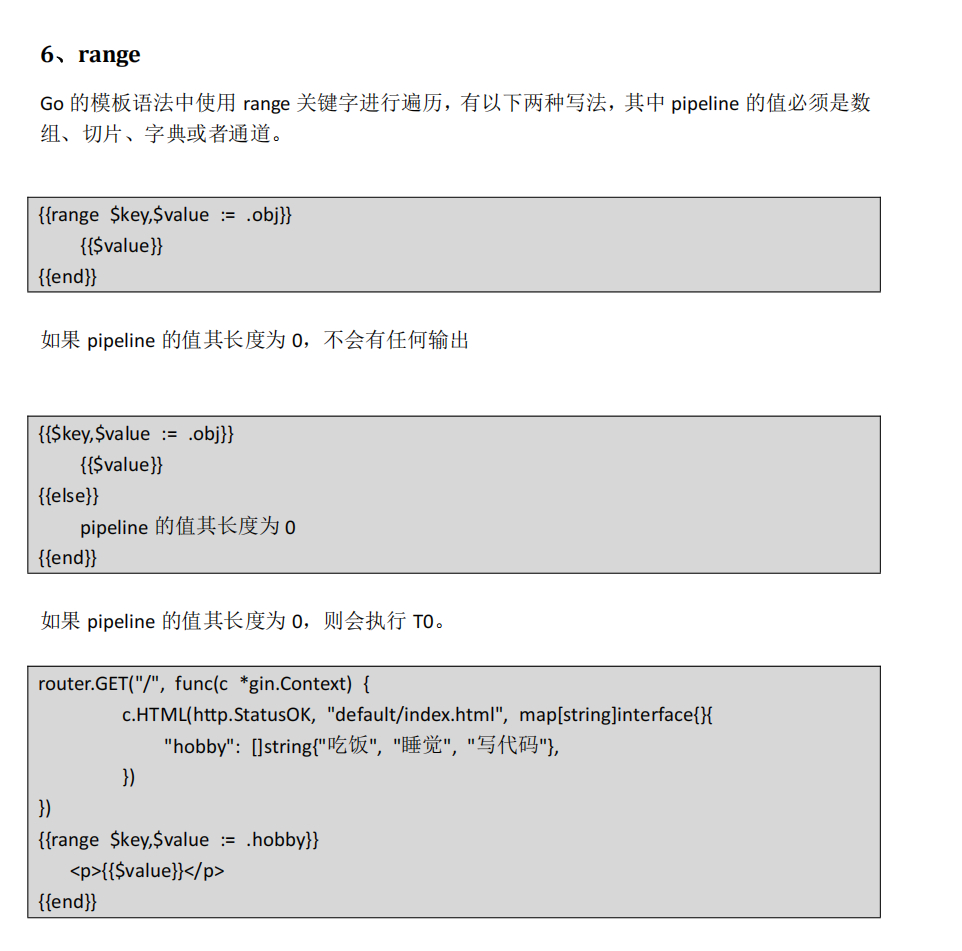
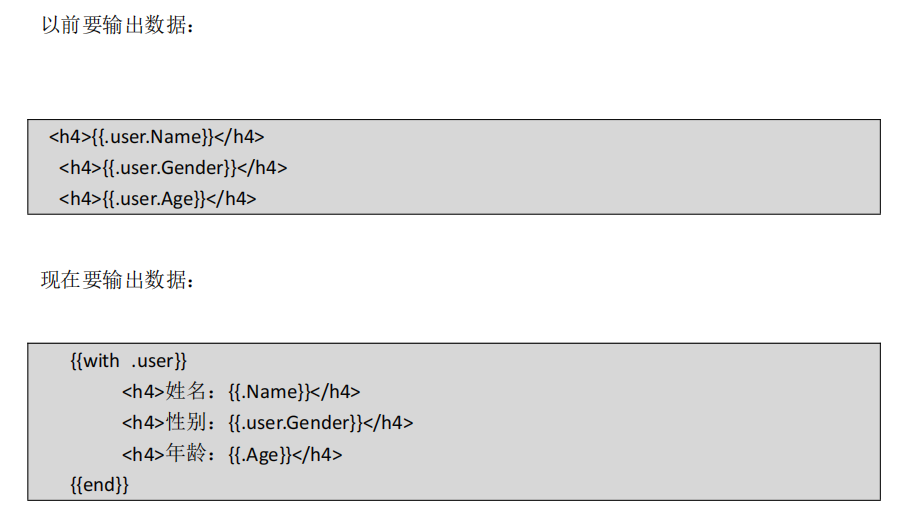
with用法
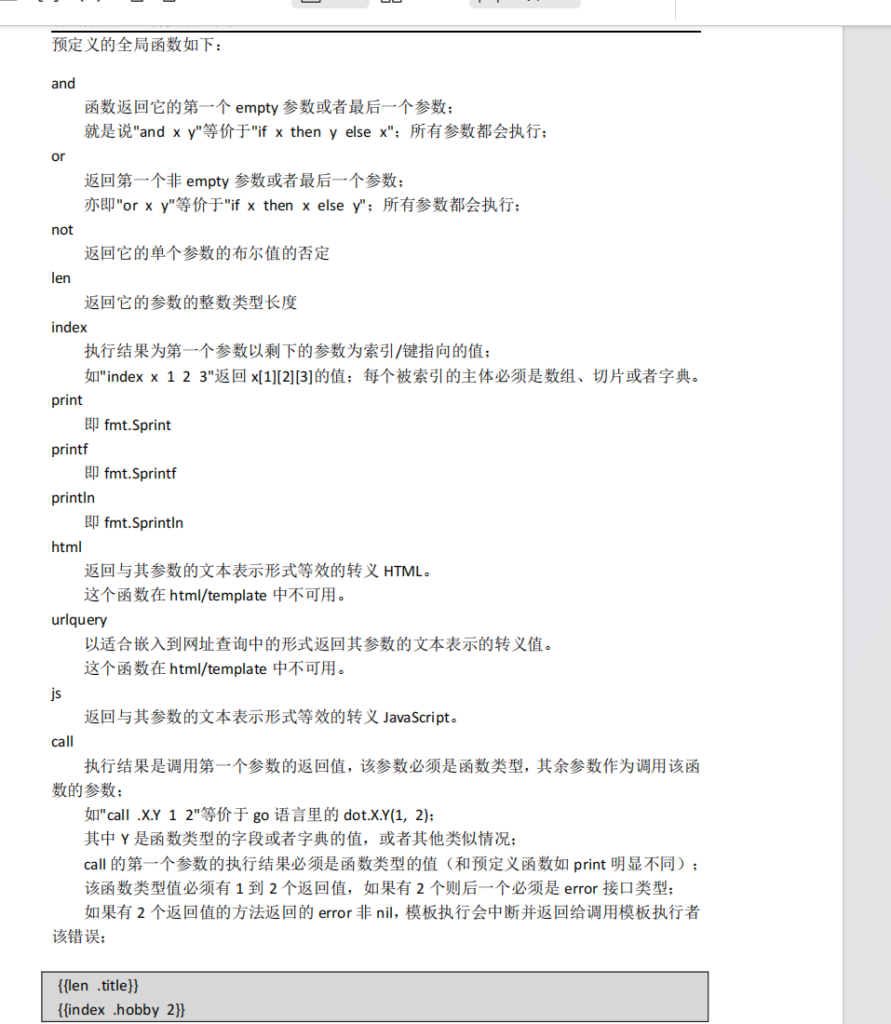
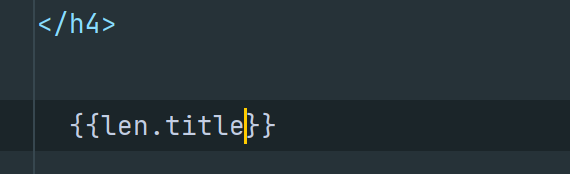
全局函数
自定义模板函数
router.SetFuncMap(template.FuncMap{ "formatDate": formatAsDate, })package main
import ( "fmt"
"html/template"
"net/http"
"time"
"github.com/gin-gonic/gin"
)
func formatAsDate(t time.Time) string {
year, month, day := t.Date()
return fmt.Sprintf("%d/%02d/%02d", year, month, day)
}
func main() {
router := gin.Default()
//注册全局模板函数 注意顺序,注册模板函数需要在加载模板上面
router.SetFuncMap(template.FuncMap{ "formatDate": formatAsDate, })
//加载模板
router.LoadHTMLGlob("templates/**/*")
router.GET("/", func(c *gin.Context) {
c.HTML(http.StatusOK, "default/index.html", map[string]interface{}{ "title": "前台首页", "now": time.Now(), })
})
router.Run(":8080")
}
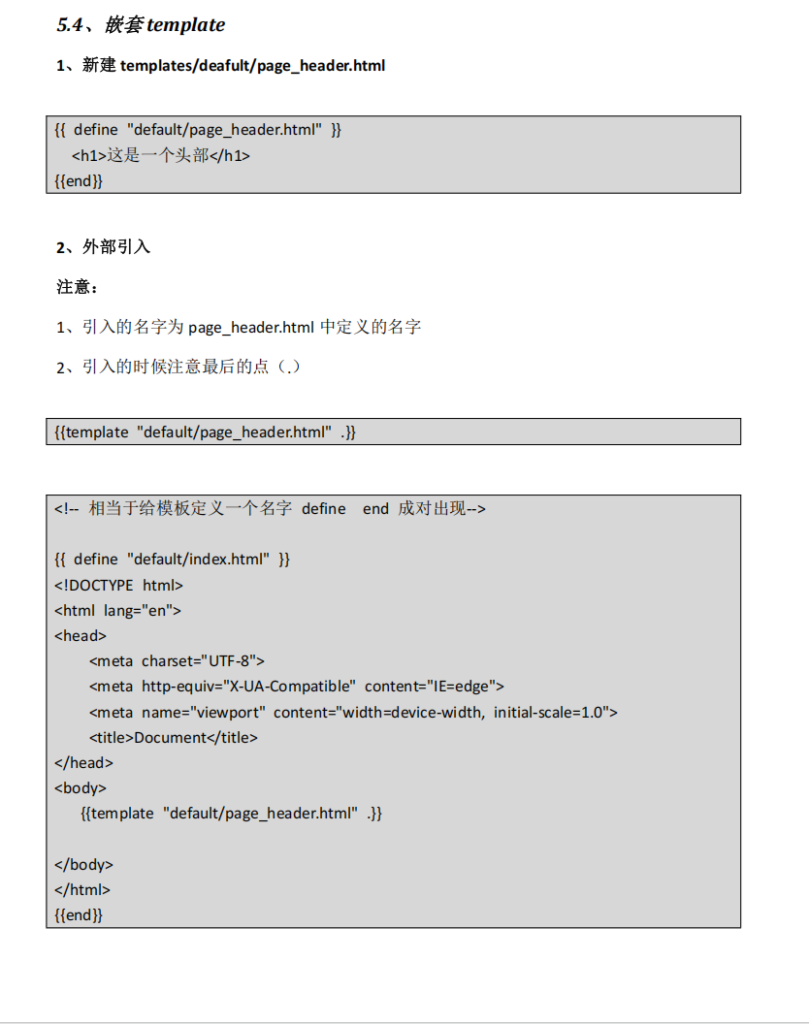
嵌套
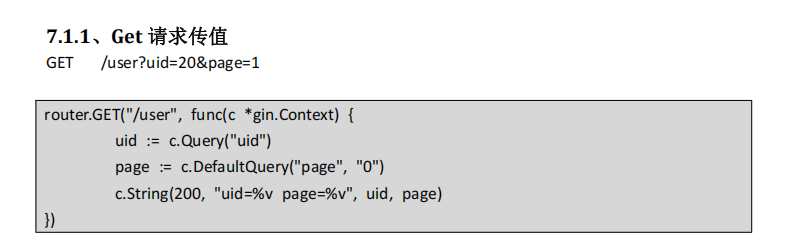
GET POST 以及获取 Get Post 传值
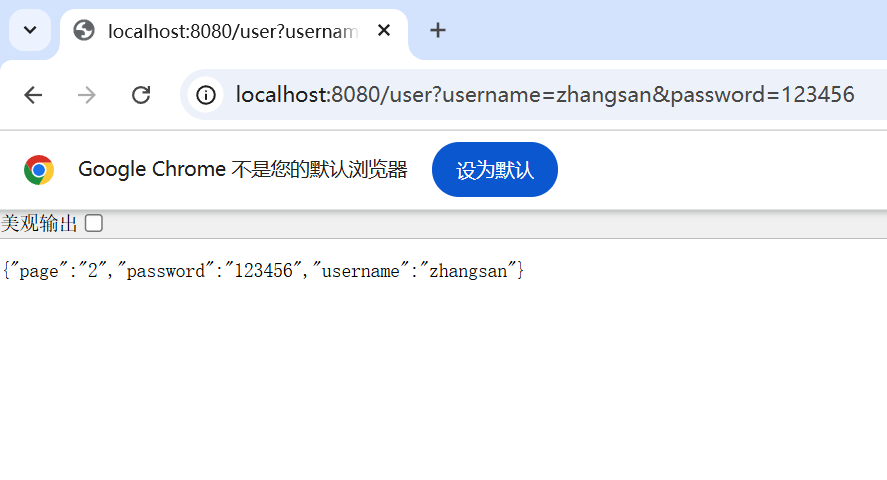
r.GET("/user", func(c *gin.Context) {
		username := c.Query("username")
		password := c.Query("password")
		page := c.DefaultQuery("page", "2")
		c.JSON(http.StatusOK, gin.H{
			"username": username,
			"password": password,
			"page":     page,
		})
	})
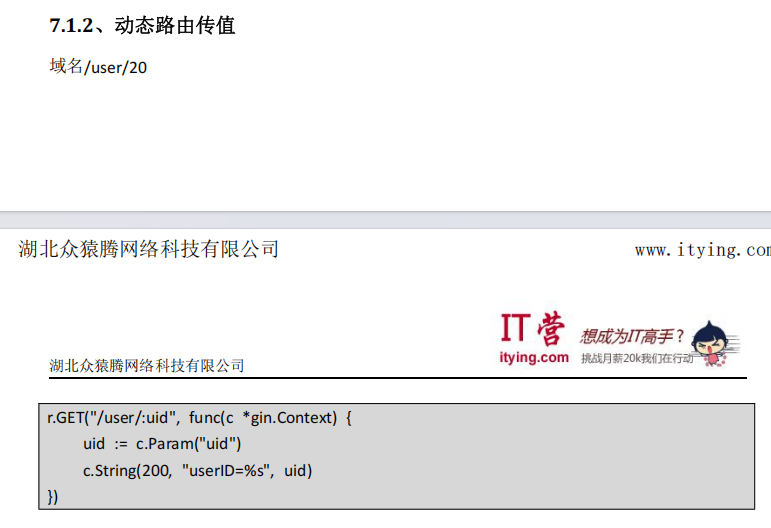
动态路由传值
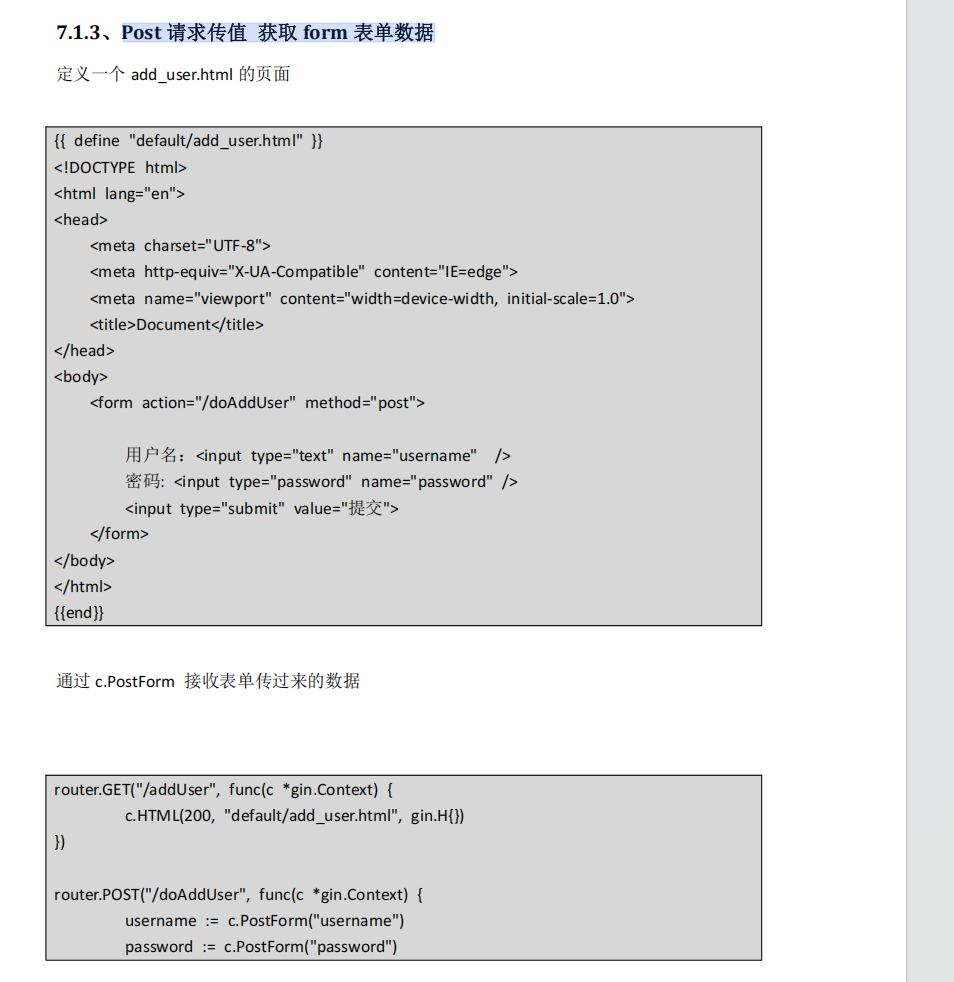
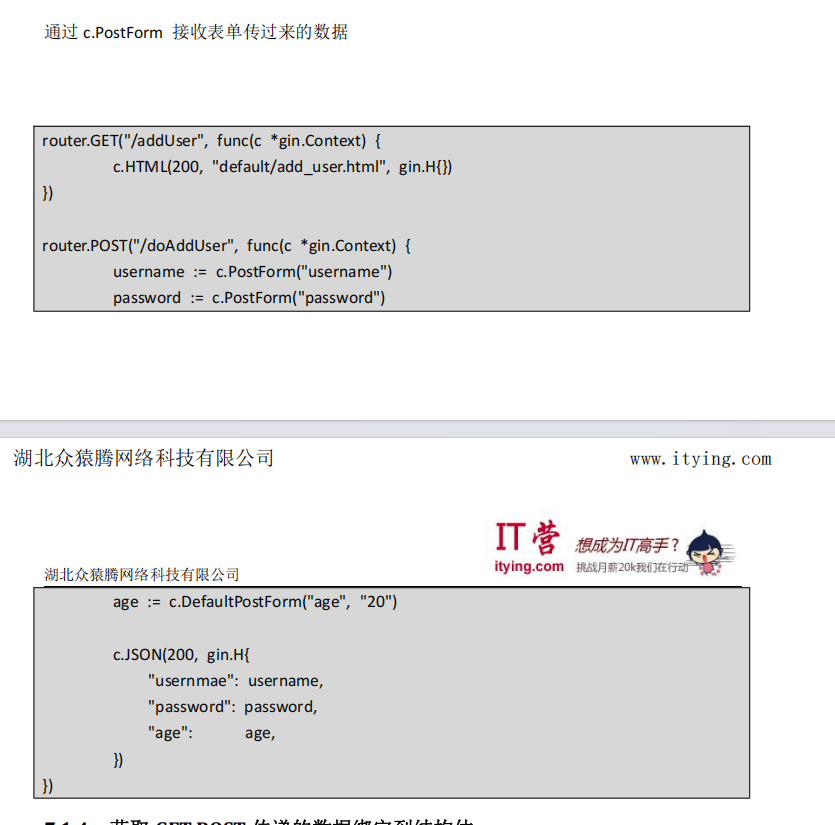
Post 请求传值 获取 form 表单数据
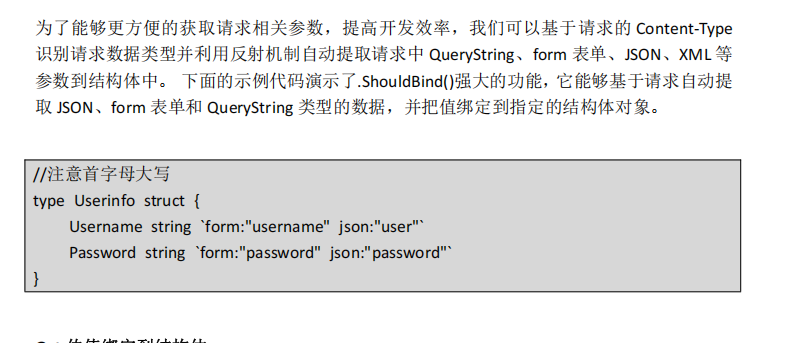
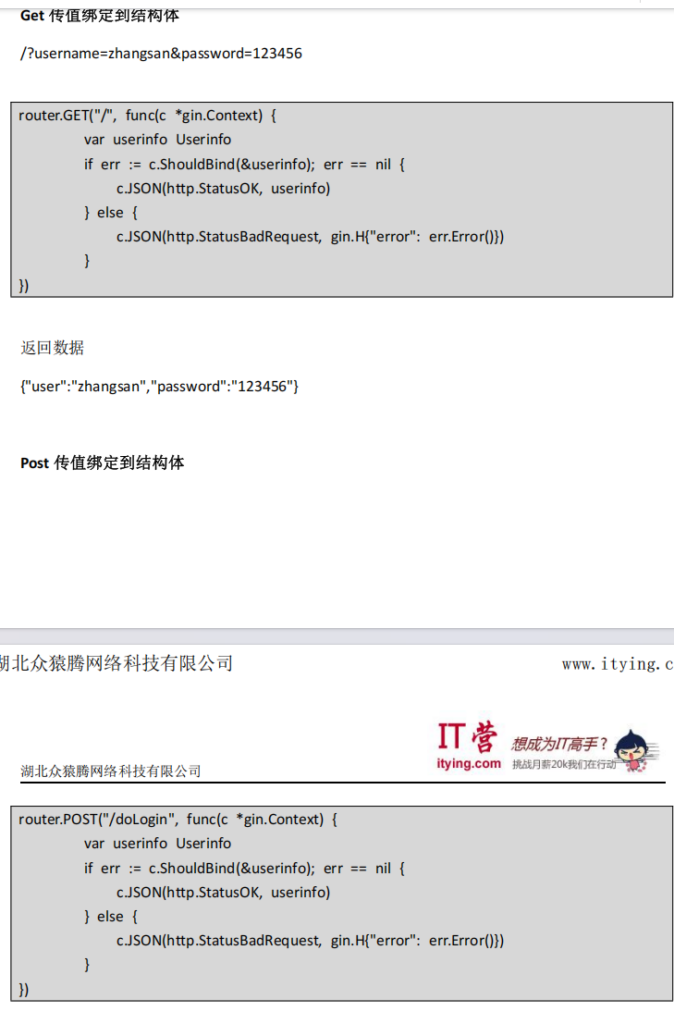
获取 GET POST 传递的数据绑定到结构体
获取 Post Xml 数据
在 API 的开发中,我们经常会用到 JSON 或 XML 来作为数据交互的格式,这个时候我们
可以在 gin 中使用 c.GetRawData()获取数据
<?xml version="1.0" encoding="UTF-8"?>
<article>
<content type="string">我是张三</content>
<title type="string">张三</title>
</article>
type Article struct {
Title string `xml:"title"` Content string `xml:"content"` }
router.POST("/xml", func(c *gin.Context) {
b, _ := c.GetRawData() // 从 c.Request.Body 读取请求数据article := &Article{}
if err := xml.Unmarshal(b, &article); err == nil {
c.JSON(http.StatusOK, article)
} else {
c.JSON(http.StatusBadRequest, err.Error())
}
}路由分组
为了提高团队合作效率,将路由需要隔离到主文件以外地方,方便协作
简单的路由组
func main() {
router := gin.Default()
// 简单的路由组: v1
v1 := router.Group("/v1")
{
v1.POST("/login", loginEndpoint)
v1.POST("/submit", submitEndpoint)
v1.POST("/read", readEndpoint)
}
// 简单的路由组: v2
v2 := router.Group("/v2")
{
v2.POST("/login", loginEndpoint)
v2.POST("/submit", submitEndpoint)
v2.POST("/read", readEndpoint)
}
router.Run(":8080")
}
Gin 路由文件 分组
新建 routes 文件夹,routes 文件下面新建 adminRoutes.go、apiRoutes.go、
defaultRoutes.go
1、新建 adminRoutes.go
package routes
import ( "net/http"
"github.com/gin-gonic/gin"
)
func AdminRoutesInit(router *gin.Engine) {
adminRouter := router.Group("/admin")
{
adminRouter.GET("/user", func(c *gin.Context) {
c.String(http.StatusOK, "用户")
})
adminRouter.GET("/news", func(c *gin.Context) {
c.String(http.StatusOK, "news")
})
}
}
新建 apiRoutes.go
package routes
import ( "net/http"
"github.com/gin-gonic/gin"
)
func AdminRoutesInit(router *gin.Engine) {
adminRouter := router.Group("/admin")
{
adminRouter.GET("/user", func(c *gin.Context) {
c.String(http.StatusOK, "用户")
})
adminRouter.GET("/news", func(c *gin.Context) {
c.String(http.StatusOK, "news")
})
}
}
package routes
import ( "net/http"
"github.com/gin-gonic/gin"
)
func ApiRoutesInit(router *gin.Engine) {
apiRoute := router.Group("/api")
{
apiRoute.GET("/user", func(c *gin.Context) {
c.JSON(http.StatusOK, gin.H{ "username": "张三",
)
})
apiRoute.GET("/news", func(c *gin.Context) {
c.JSON(http.StatusOK, gin.H{ "title": "这是新闻", })
})
}
}配置 main.go
package main
import ( "gin_demo/routes"
"github.com/gin-gonic/gin
)
//注意首字母大写
type Userinfo struct {
Username string `form:"username" json:"user"` Password string `form:"password" json:"password"` }
func main() {
r := gin.Default()
routes.AdminRoutesInit(r)
routes.ApiRoutesInit(r)
routes.DefaultRoutesInit(r)
r.Run(":8080")
}